
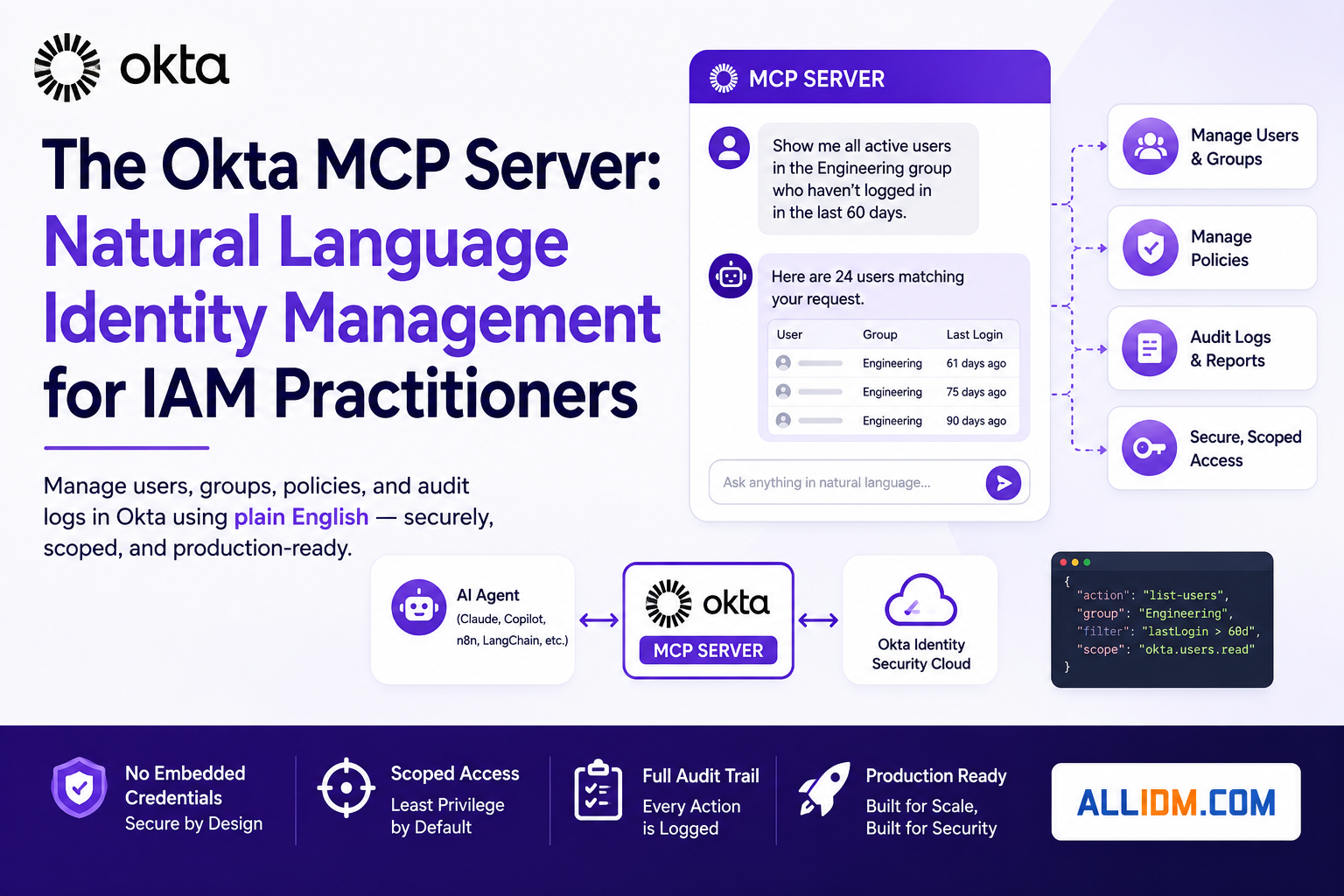

Okta has a working MCP server that lets AI agents manage users, groups, policies, and audit logs using plain English — and the security design is actually sound. Here’s what practitioners need to know before they connect it to production.
Available since early 2026, the Okta MCP Server is an open-source bridge between any MCP-compatible AI agent and your Okta org. It exposes Okta management operations as structured tools — so instead of building brittle API integrations or handing an LLM a super-admin token, your AI agent gets precisely scoped, auditable access to perform identity tasks through natural language.
The GitHub repo is live at github.com/okta/okta-mcp-server, and the toolchain runs on Python + the uv package manager. It connects to Claude Desktop, VS Code with GitHub Copilot, Amazon Bedrock, and any other MCP-compatible client.
What the security architecture actually looks like
The instinct when hearing “AI agent with Okta access” is immediate skepticism — and that’s correct. Okta’s design addresses the obvious failure modes directly:
- No embedded credentials — Authentication is handled via environment variables, never inside prompts or agent logic. The LLM never sees the keys.
- Scoped access, not god-mode — You grant specific Okta API scopes to the app integration (
okta.users.read,okta.groups.manage,okta.logs.read, etc.). The agent can only operate within those scopes. - Full audit trail — Every action the agent takes is logged in Okta’s system log just like a human admin action. If the agent creates a user or modifies group membership, that event appears in your audit trail with appropriate attribution.
That last point matters more than it seems. Audit continuity is a hard requirement in regulated environments, and many early AI-to-SaaS integrations sacrificed it. The Okta MCP server doesn’t.
Two auth paths — pick the right one for your use case
Authentication configuration is the most consequential decision before deploying this. Okta offers two methods, and they serve fundamentally different scenarios:
- Device Authorization Grant (browser-based) — Creates a Native OIDC app integration with Device Authorization as the grant type. The user authenticates interactively via browser on first connection. Best for local development, service desk tooling, and any context where a human is in the loop. Setup takes minutes in the Admin Console — create the app, grant the scopes, copy the Client ID and redirect URIs.
- Private Key JWT (browserless) — Creates an API Services app integration using a public/private key pair instead of browser-based login. The server authenticates cryptographically, with no human interaction required. Required for CI/CD pipelines, automated workflows, backend services, or any headless environment. You generate the key pair (or let Okta generate it), assign an admin role with appropriate permissions, and store the private key securely — Okta cannot retrieve it after generation.
The environment variables are the same either way: OKTA_ORG_URL, OKTA_CLIENT_ID, and OKTA_SCOPES are always required. OKTA_PRIVATE_KEY and OKTA_KEY_ID are only needed for the JWT path.
What you can actually do with it
Once connected, the server handles the full range of Okta admin workflows through conversational prompts. Practical examples from the official documentation:
- Lifecycle management — “Create a user Jane Doe with email jane.doe@company.com and add her to the marketing group.” One prompt, no console navigation.
- Login troubleshooting — “This user is getting denied when logging in. Tell me why.” The agent fetches the system log, finds the relevant failure event, evaluates the policy rule that triggered it, and returns a plain-text explanation. What normally takes ten minutes of console clicking takes seconds.
- Security auditing — “Generate a security audit report for the last 30 days. Highlight all changes to user and group memberships.” Or: “Show me all active users in the Finance group with the Salesforce app who haven’t signed in in the last 60 days.”
- Policy management — “Create a password policy that requires 12 characters with special characters for the engineering group.” Evaluate policy logic against user context from logs.
- Group and app management — Bulk group assignments, app visibility queries, user provisioning at scale.
The setup in three steps
For practitioners ready to get hands-on, the path is straightforward:
- Clone and install —
git clone https://github.com/okta/okta-mcp-server.git, thenuv syncto install dependencies. Requires Python 3.8+ and theuvpackage manager. - Create the app integration — In your Okta Admin Console, create either a Native app (Device Auth) or API Services app (Private Key JWT), grant the scopes your use case requires, and copy the credentials. Full step-by-step in the configure authentication guide.
- Configure your MCP client — Add the server block to your Claude Desktop config or VS Code
mcp.json, point it at the local repo, and populate the environment variables. Full config snippets in the start and test guide.
Key takeaways
- The Okta MCP server is production-capable, not a proof-of-concept. The audit trail, scoped credentials, and two auth modes reflect operational requirements, not just demo polish.
- Choose your auth method deliberately. Device Auth is fine for interactive tooling. Private Key JWT is the right choice for anything automated or unattended — and it requires more careful key management as a result.
- Scope minimization is your primary security control. Don’t grant
okta.users.managewhen your use case only needsokta.users.read. The blast radius of a compromised agent is bounded by the scopes you assigned. - The service desk use case is the fastest win. Login troubleshooting and audit generation are high-frequency, high-friction tasks that benefit immediately from natural language automation without requiring write access to your Okta org.
📌 Sources: Okta Product Blog, Install Guide, Authentication Guide, Start & Test Guide — Okta Developer